 Yiluna
Multiple portrait styles
Explore editorial, cinematic, fashion, illustrated, watercolor, 3D, and minimal portrait directions.
Portrait concepts
Yiluna helps create portrait directions for creators, teams, avatars, editorial concepts, and fictional characters with controllable visual style.
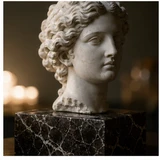
Built for real workflows
Practical production jobs that benefit from connected references, visible iterations, and deliberate review.
Explore editorial, cinematic, fashion, illustrated, watercolor, 3D, and minimal portrait directions.
Combine a written direction with optional references to guide pose, mood, color, and composition.
Generate concepts before booking a shoot, briefing an illustrator, or building a character package.
FAQ
Yes. Yiluna can create profile image concepts and avatars, but review likeness, identity, and platform rules before use.
Yes. Use descriptive prompts for character traits, era, wardrobe, mood, and worldbuilding details.
Yes. References can help guide style and composition, though AI outputs should always be reviewed for accuracy.
Related workflows
Create anime-style character concepts, poster art, profile images, and story visuals with prompt controls and reference images in Yiluna.
Prompt clarityAI Prompt Enhancer for Better Image and Video PromptsImprove rough prompts for AI image generation, product visuals, photo edits, and video drafts with clearer style, lighting, and composition details.
Sharper exportsAI Image Upscaler for Sharper Product and Social AssetsUpscale AI images, product visuals, social graphics, and creative drafts so exports look sharper for campaigns and presentations.