 Yiluna
Turn your script into an AI storyboard.
Plan the shots, establish your references, and review the frames together. Follow a six-shot example from The Timekeeper, then organize your own short film in Yiluna Film Canvas.
The example is free to explore. Sign-in and credits are required to generate your own images or video.
Free storyboard template & shot list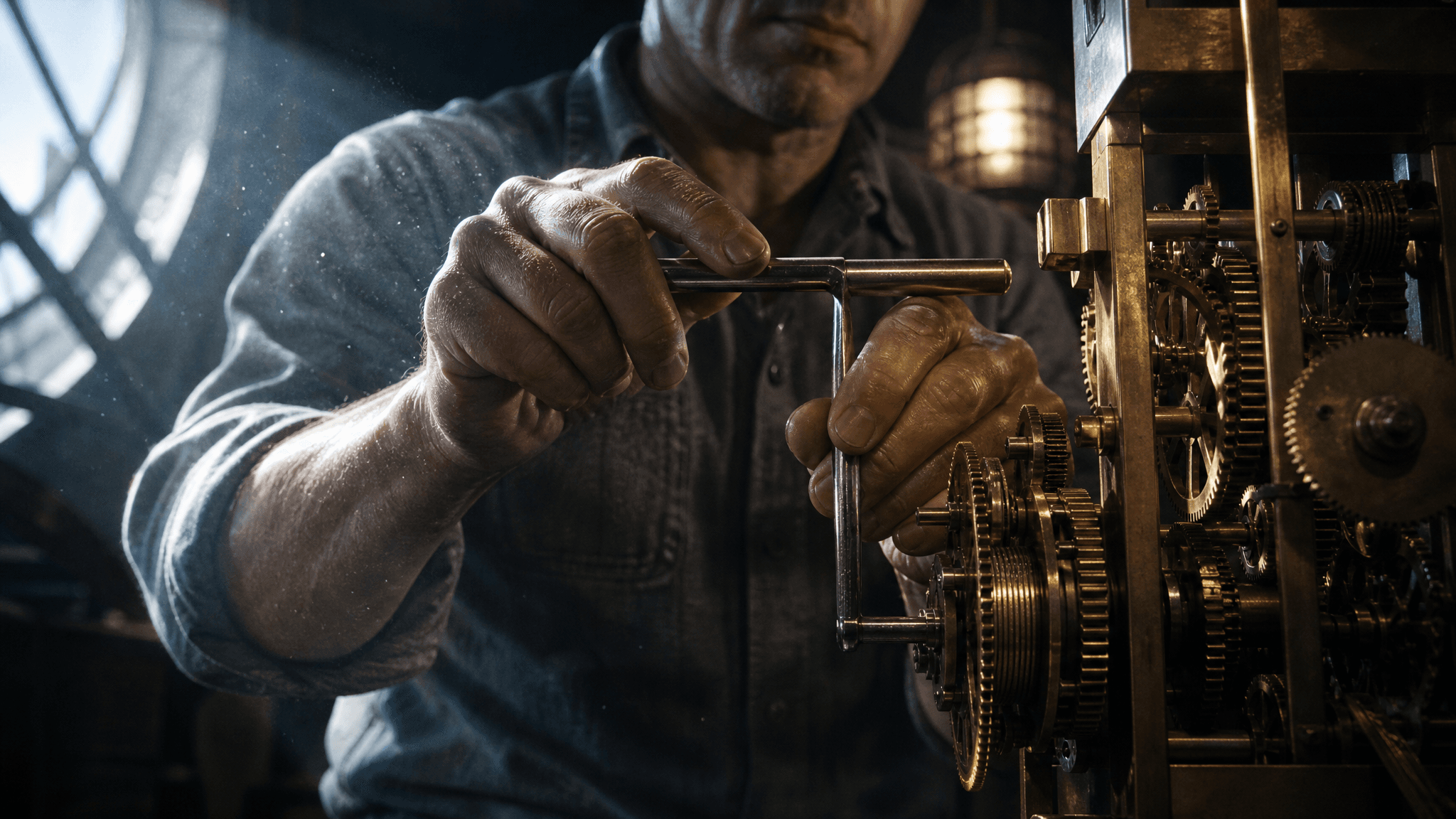 01 · Establish the clock
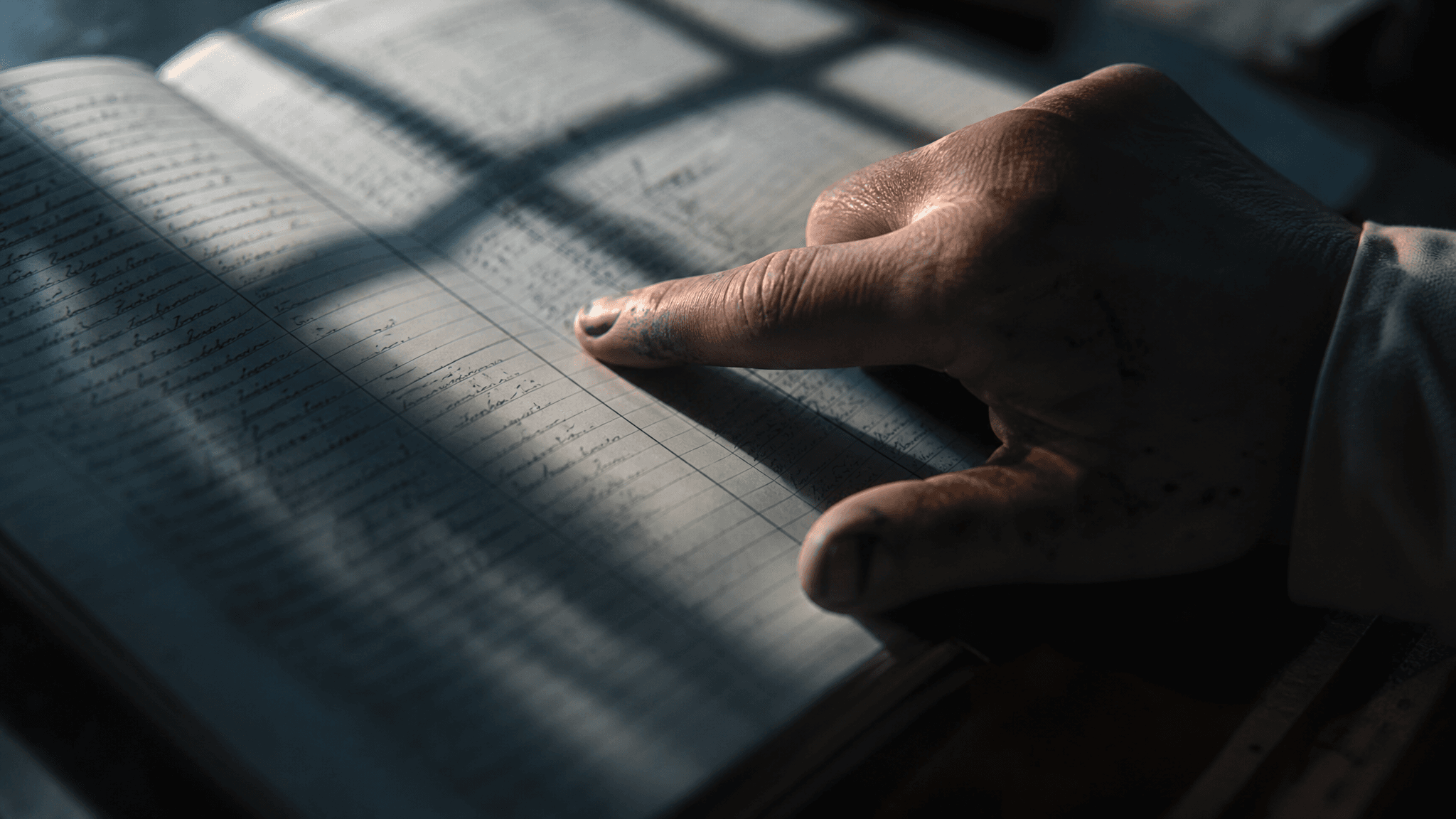 02 · Reveal the evidence
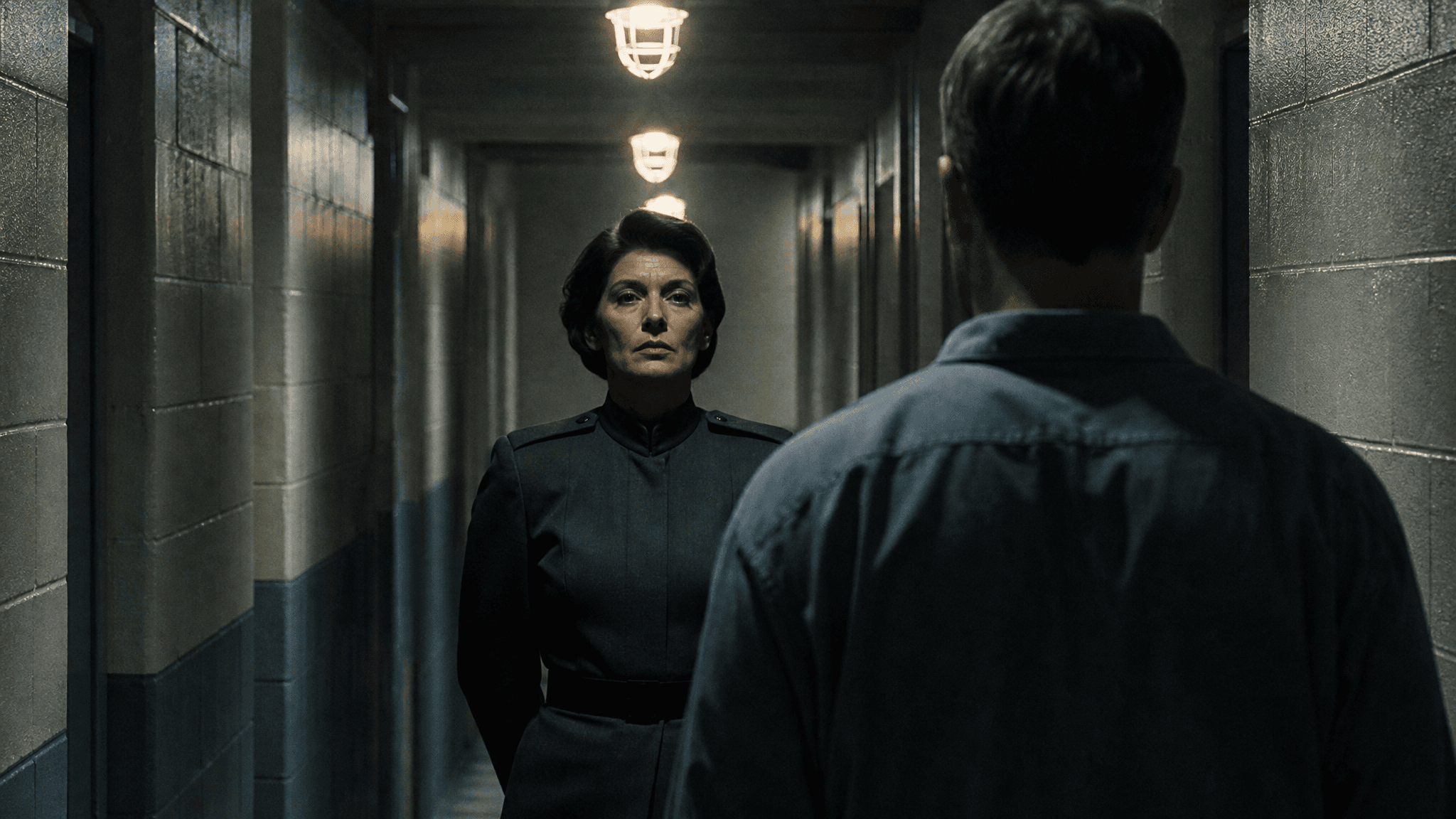 04 · Stage the confrontation
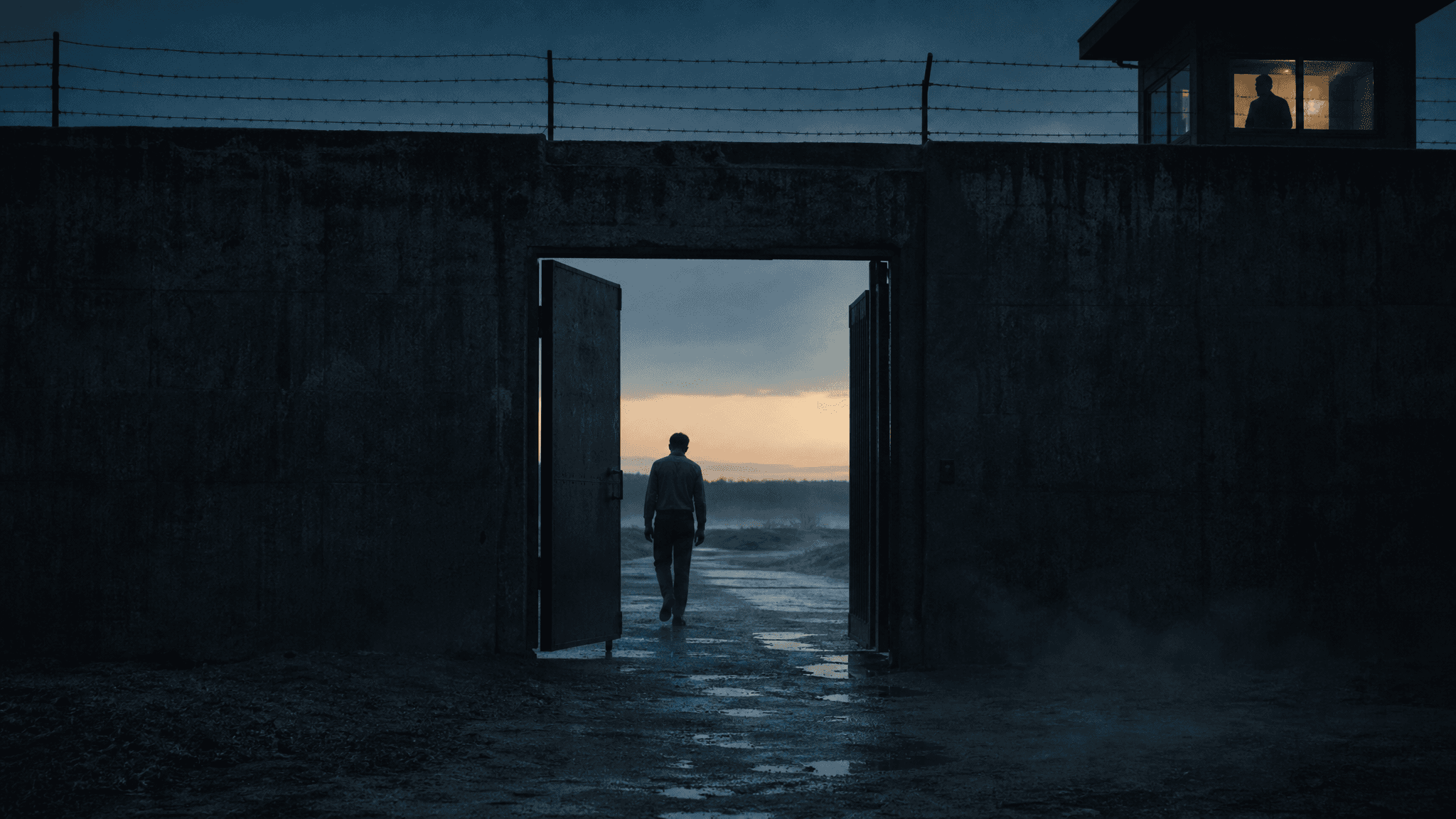 06 · Show the consequence
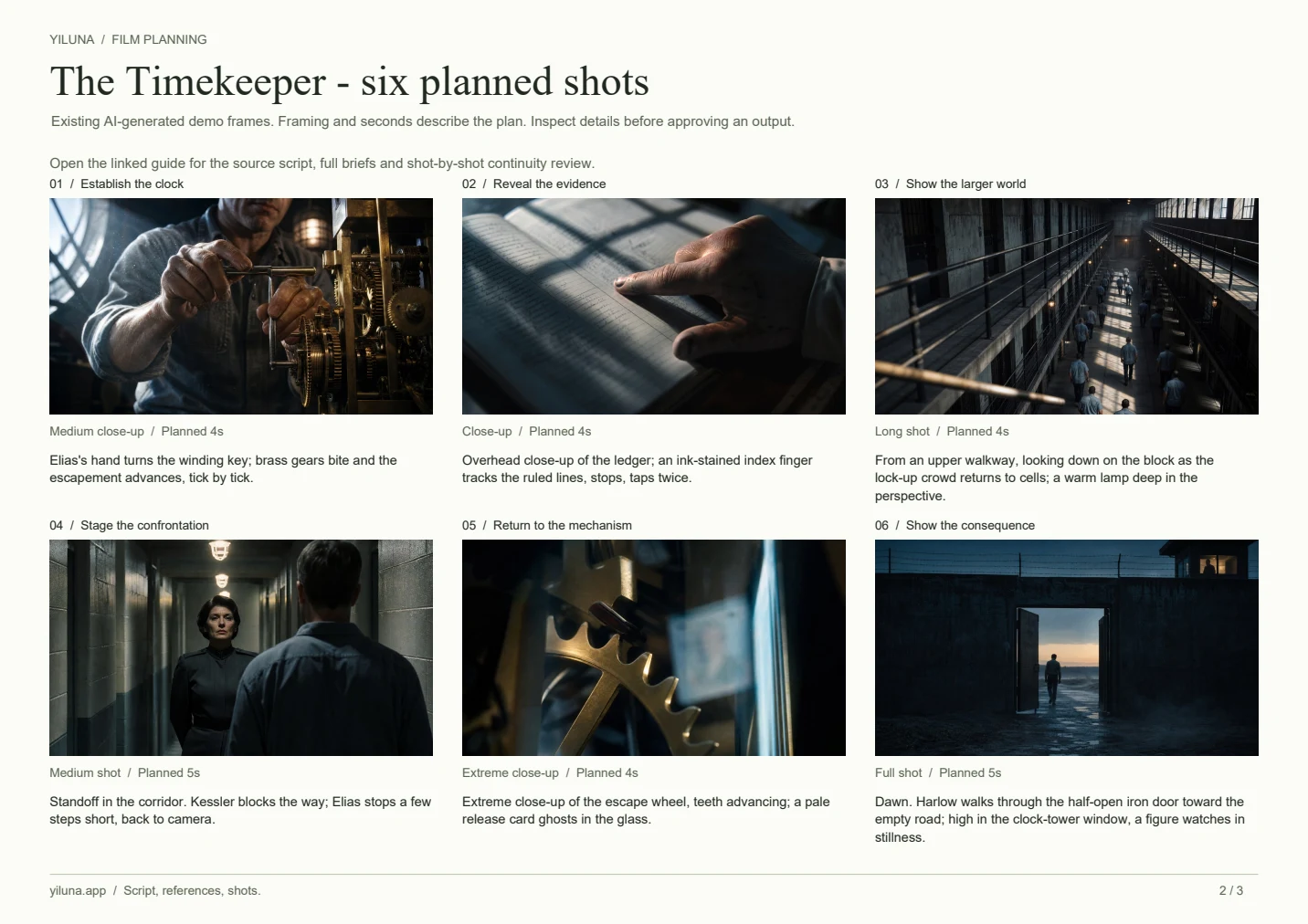
The Timekeeper · Existing AI-generated demo frames
The script before the storyboard
Download example script (.txt)A prison watchmaker discovers that a slow clock has lengthened the prisoners' sentences. Four dramatic beats become six planned shots. Read the source, then see which visual decision carries each beat.
Read The Timekeeper script
[Act I · Winding]
[Clock-tower movement room · Dawn]
Brass movements turn in cold light. Elias Vane, forty-seven, a watchmaker before prison.
He takes the winding key and turns it a quarter. Gears bite; the escapement advances, tick by tick.
ELIAS (V.O.): "They let this clock keep their days. And this clock runs slow."

[Act II · The ledger]
[Clock-tower movement room · Day]
The timekeeping ledger lies open. Elias's finger tracks the inked rows, stops, taps twice.
Every recorded "day" ran longer than a true day. Over eleven years, hundreds of days were never counted.
ELIAS: "I'm not asking to get out. These days were owed to them."

[Act III · Standoff]
[Cell-block corridor · Day]
Warden Marta Kessler blocks the corridor. She does not lift her chin. One line.
KESSLER: "It isn't the clock you want to correct. It's the record."
ELIAS: "The record has been wrong for eleven years."

[Act IV · Restitution]
[Side gate · Dawn]
Dean Harlow, twenty-three, steps through the half-open iron door; his back disappears into morning fog.
High in the clock-tower window a figure stands, and does not wave.
Time, for once, on the side of the men who were counting it.
Source: Yiluna's authored Film Canvas demo. The following frames were generated in advance; this is a worked planning example, not a recording of automatic script-to-video generation.
Free storyboard template & shot list
Take the plan into your own project. The PDF includes a blank six-frame board, The Timekeeper's filled example and a continuity worksheet. Use the CSV files when you want longer notes or more shots.
 Inside the pack · Six-shot worked example
 Free downloads, no account or email required. Open the PDF in a form-capable reader to type notes, or print it and sketch. Import CSV into Excel, Numbers or Google Sheets; duplicate rows for longer sequences.
The example frames are prerecorded; durations describe the plan. File downloads do not create a Film Canvas project or import automatically. Open Film Canvas when you are ready to add your script and references.
Script to storyboard: a six-shot breakdown
Each shot pairs the demo's actual brief and generated frame with an editorial explanation. Framing, motion and duration describe the plan. Review the image itself to judge how well it follows that plan.
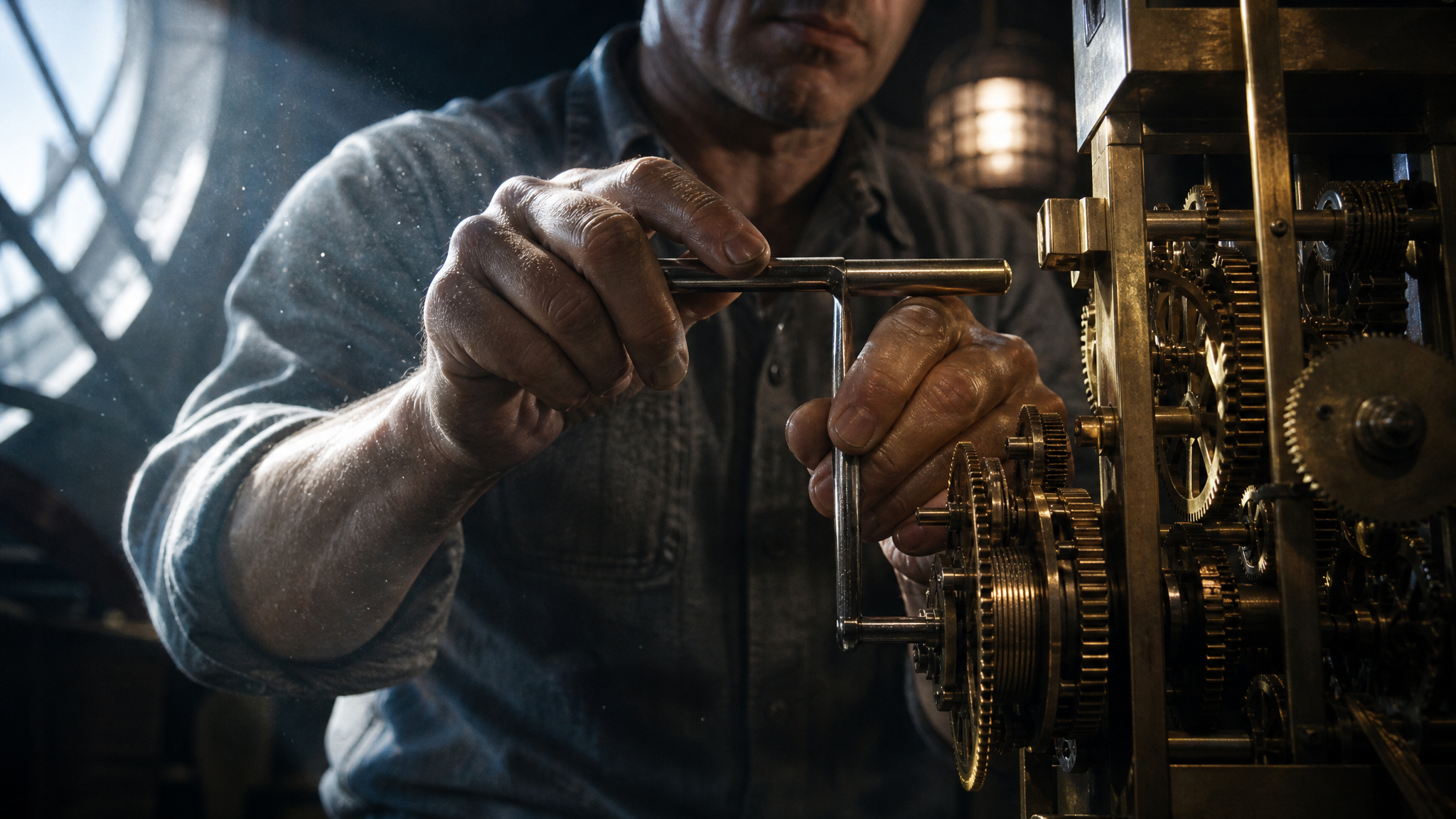
Establish the clock
Elias's hand turns the winding key; brass gears bite and the escapement advances, tick by tick.
- Story purpose
- Begin with the action that causes the story: a hand winds the mechanism. The brass movement gives later inserts a recognizable visual anchor.
- Camera plan
- Extremely slow push-in
- Light
- Hard light from a high window, a warm cage-lamp point, cold blue fill
- Reference anchors
- Elias Vane · Clock-tower movement room · Escapement
- Scripted dialogue
- “They let this clock keep their days. And this clock runs slow.”
- Review before video
- Check that the key, hand and mechanism remain readable. The close framing carries the action; it does not establish a character's full appearance.
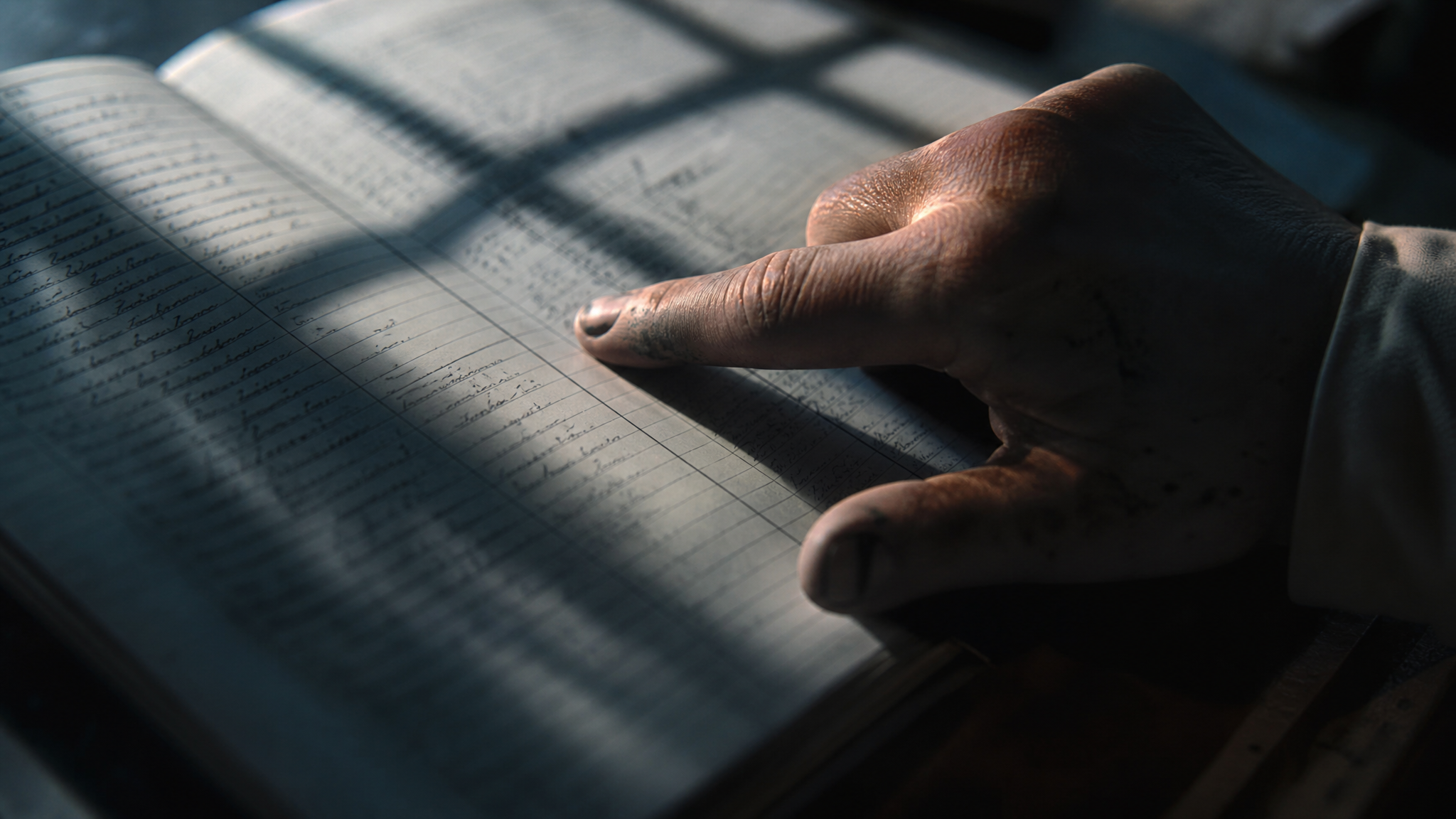
Reveal the evidence
Overhead close-up of the ledger; an ink-stained index finger tracks the ruled lines, stops, taps twice.
- Story purpose
- Move from the clock to the ledger. A close-up turns the abstract idea of missing time into an object the audience can follow.
- Camera plan
- Slow downward press
- Light
- Hard side light; window-lattice shadow on the paper
- Reference anchors
- Elias Vane · Clock-tower movement room · Timekeeping ledger
- Scripted dialogue
- “I'm not asking to get out. These days were owed to them.”
- Review before video
- Generated handwriting is not reliable evidence. Add any plot-critical dates or figures in editing, and compare the hand and sleeve with the preceding shot.
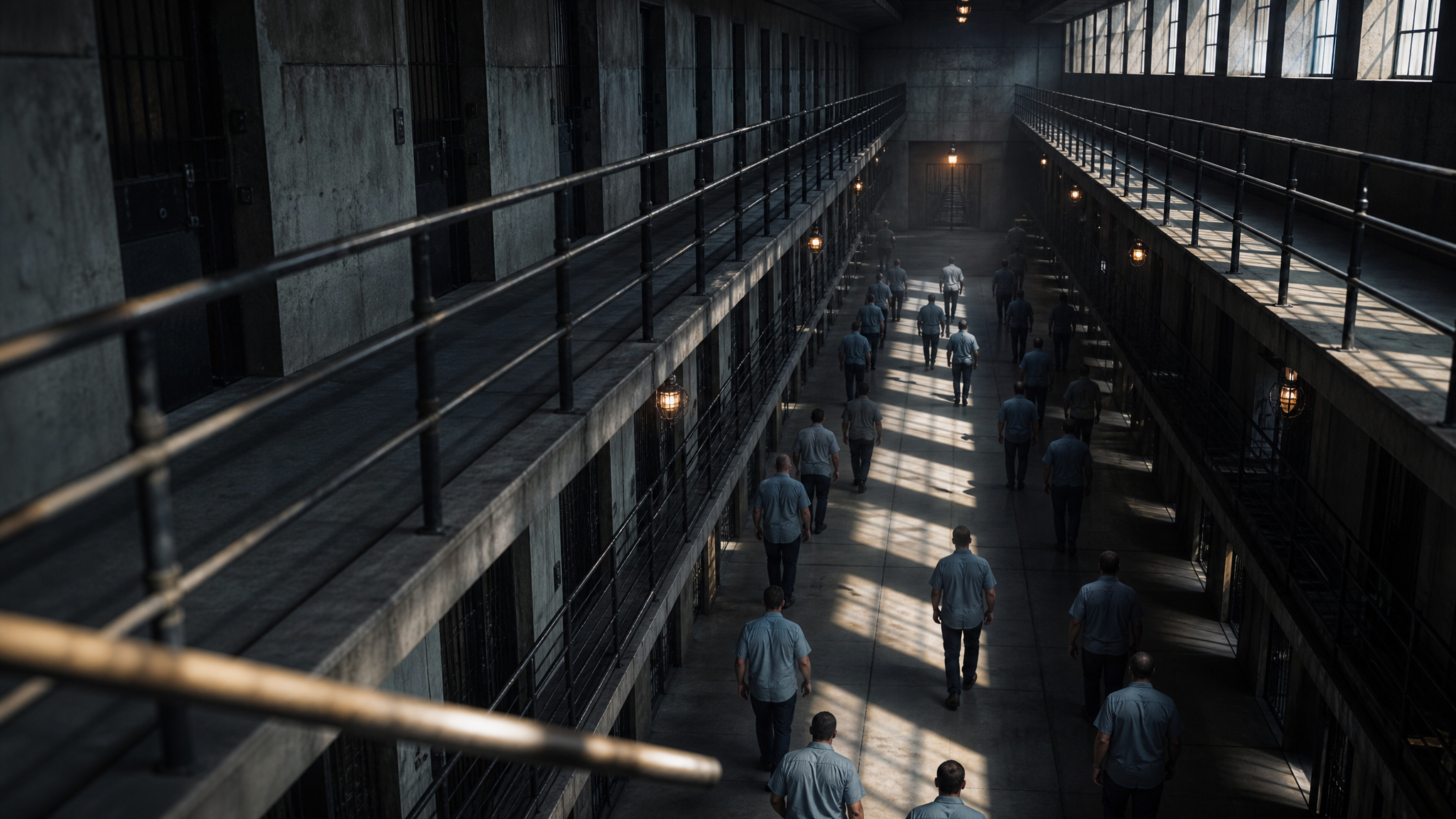
Show the larger world
From an upper walkway, looking down on the block as the lock-up crowd returns to cells; a warm lamp deep in the perspective.
- Story purpose
- The wide prison view expands a private discovery into a problem affecting many people. It also establishes the corridor for the confrontation.
- Camera plan
- Slow descent along the courtyard
- Light
- Hard lattice from high windows, cold slate grey
- Reference anchors
- Three-tier cell courtyard
- Review before video
- Keep corridor geometry and the direction of daylight compatible with the next shot. Background figures need inspection at full size.
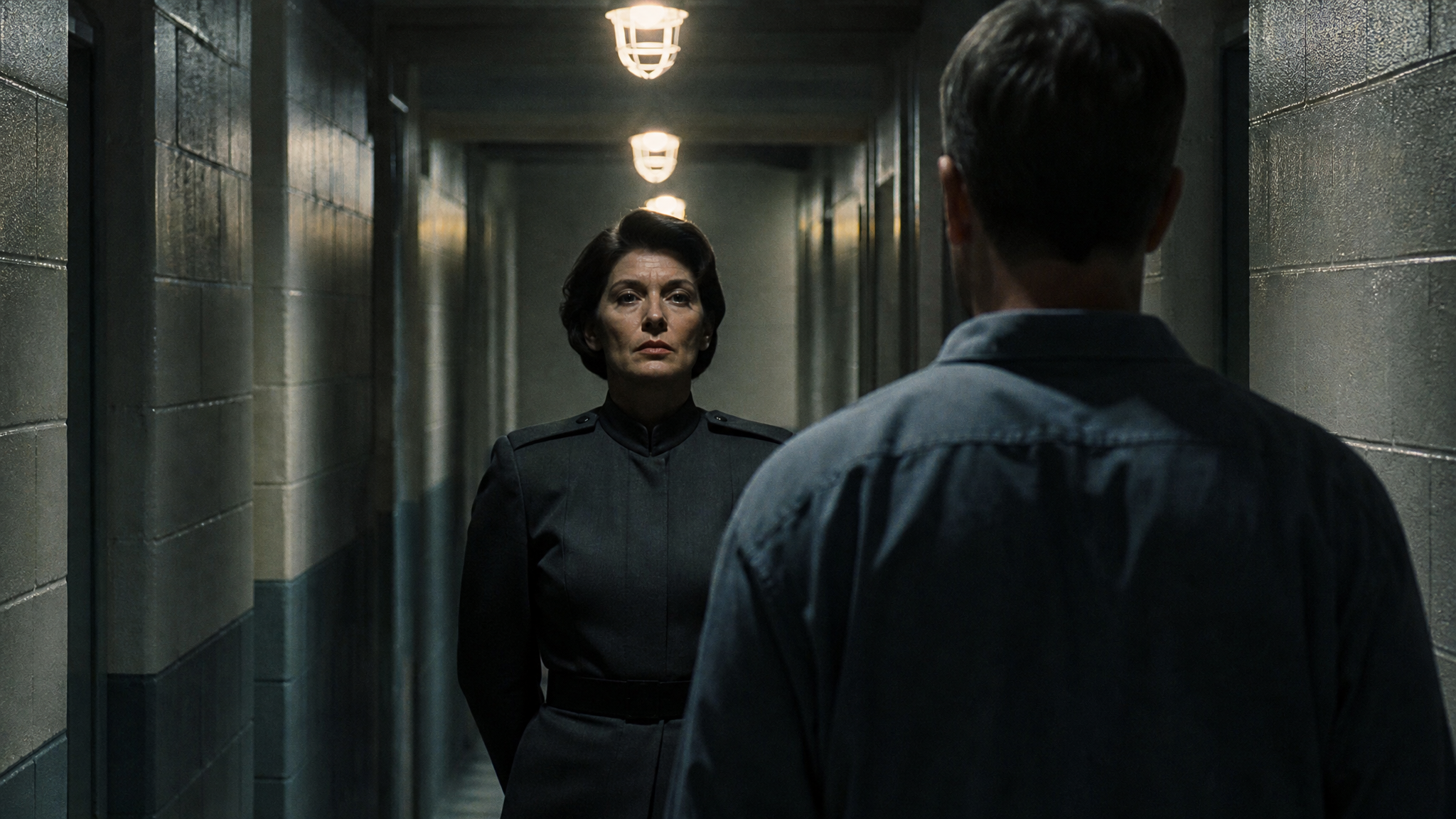
Stage the confrontation
Standoff in the corridor. Kessler blocks the way; Elias stops a few steps short, back to camera.
- Story purpose
- Put the two characters on one clear corridor axis. Their positions and the distance between them express the conflict before either speaks.
- Camera plan
- Slow push along the corridor axis, held symmetrical
- Light
- Overhead light pinning the brow; both faces in shadow
- Reference anchors
- Elias Vane · Marta Kessler · Three-tier cell courtyard
- Scripted dialogue
- “It isn't the clock you want to correct. It's the record.”
- Review before video
- This is the hardest identity check: compare each character's face, clothing and position against approved references. A shared prompt alone cannot guarantee consistency.
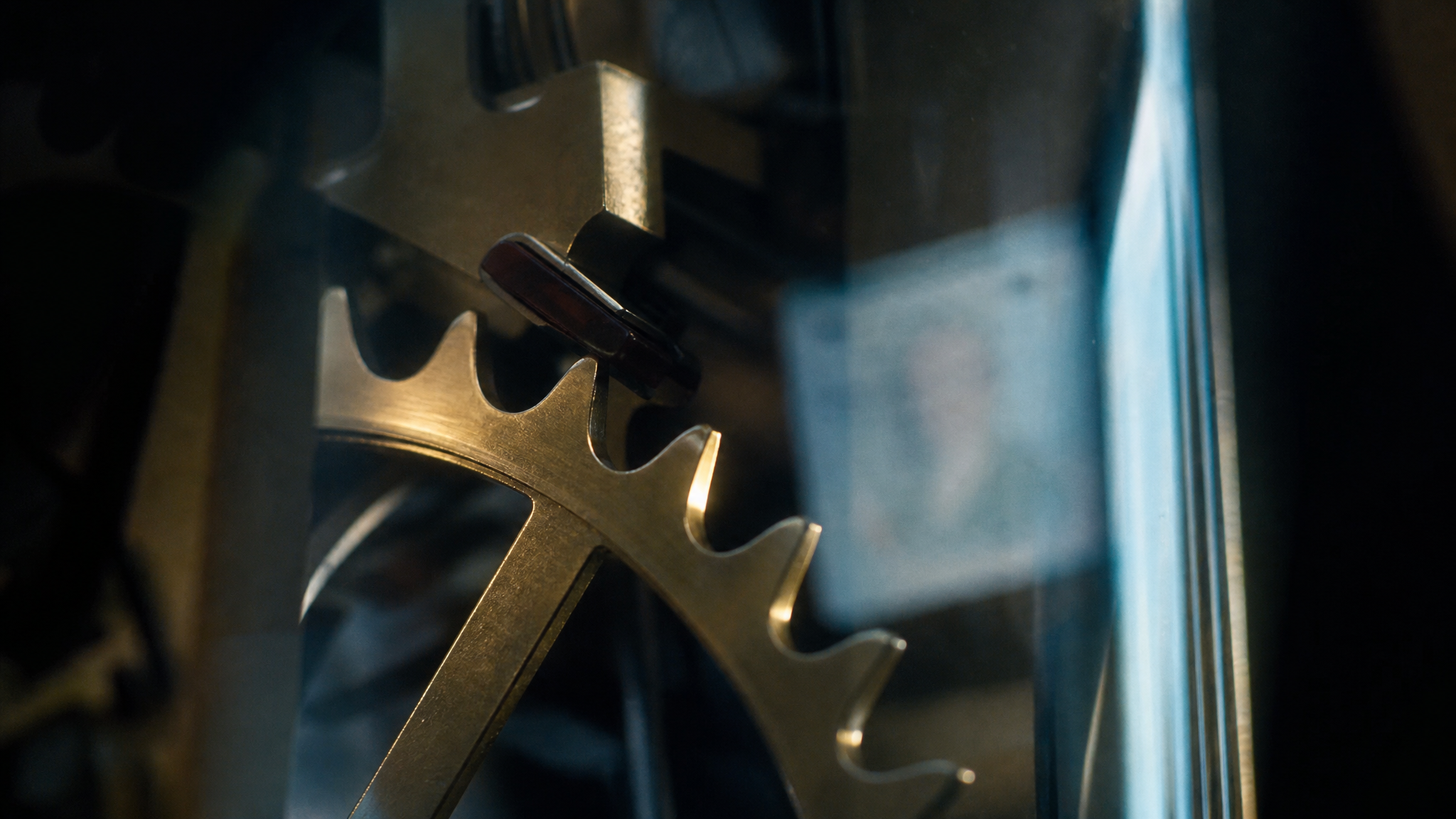
Return to the mechanism
Extreme close-up of the escape wheel, teeth advancing; a pale release card ghosts in the glass.
- Story purpose
- Return to the clock after the confrontation. Reusing the mechanical detail connects the disputed records with the system that produced them.
- Camera plan
- Tiny rack focus, pushing into the reflection
- Light
- Raking light on every tooth, a single warm specular
- Reference anchors
- Clock-tower movement room · Escapement
- Scripted dialogue
- “The record has been wrong for eleven years.”
- Review before video
- Compare metal finish, gear shapes and lighting with shot 1. Treat the release-card reflection in the brief as an intended detail to inspect, not a guaranteed result.
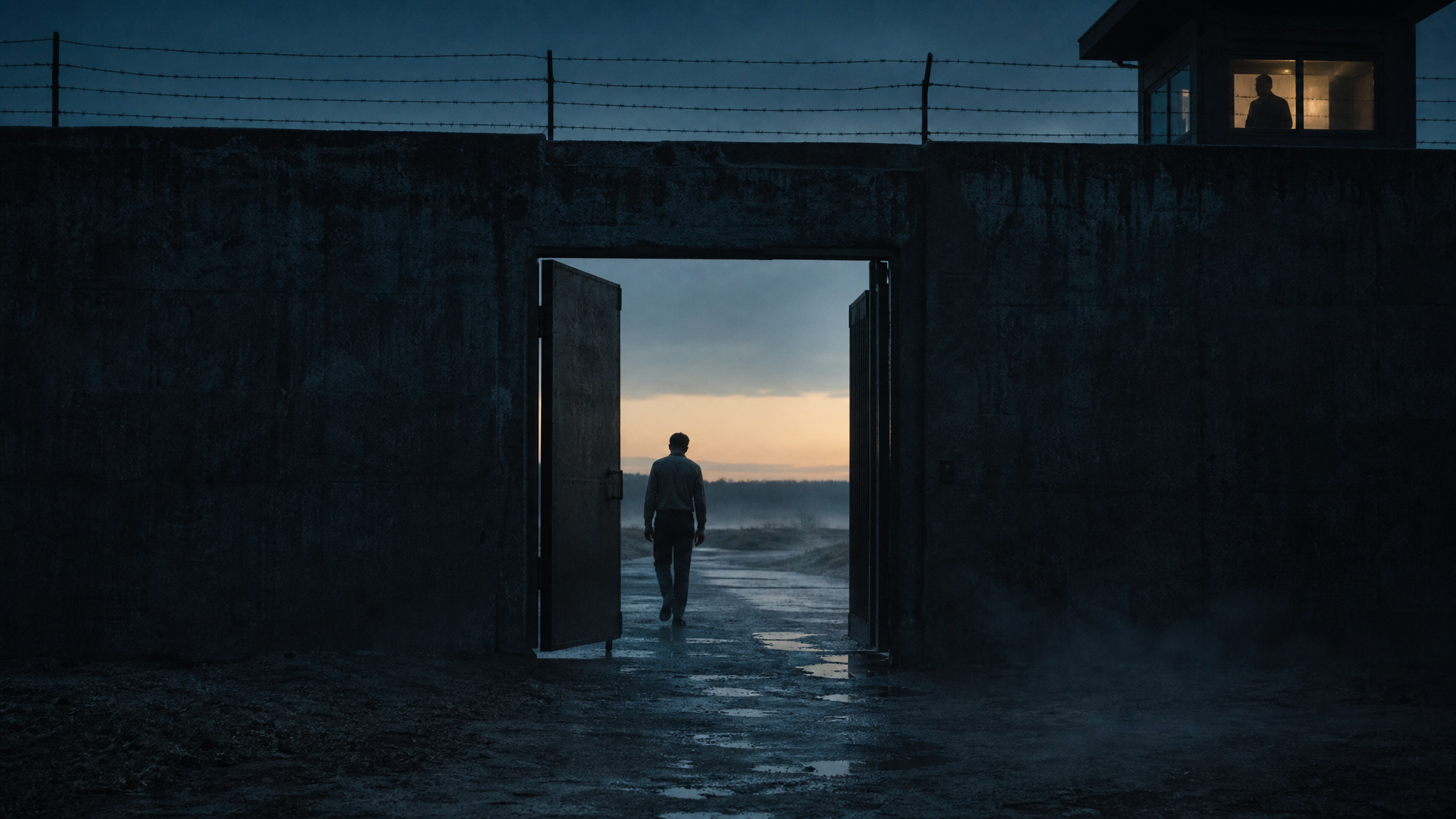
Show the consequence
Dawn. Harlow walks through the half-open iron door toward the empty road; high in the clock-tower window, a figure watches in stillness.
- Story purpose
- End with a person leaving through the gate. A full shot makes the change in the character's situation visible without another explanatory scene.
- Camera plan
- Hold, then a slow rise to include the clock-tower window
- Light
- Hard backlight silhouettes; cold sky with a warm horizon line
- Reference anchors
- Dean Harlow · Perimeter side gate
- Review before video
- Check the prisoner's silhouette, clothing and exit direction. Verify whether the distant clock-tower figure requested by the brief is legible in the generated frame.
Keep continuity visible across shots
A repeated name is not enough to preserve a face or a location. Use visual references, inspect the results, and keep the frames you approve beside the ones you are revising.
Begin with your script
Open Film Canvas, create a project and add your script. The downloaded example is plain text you can paste and adapt; opening the canvas does not import it automatically.
Approve reference images
Choose a recognizable character reference, costume and location before generating the sequence. Use the character sheet generator when you need multiple views of one character.
Review the storyboard as a sequence
Check screen direction, faces, wardrobe, light and recurring objects. Start with one frame, compare neighboring shots, and revise the part that drifts. The two-character confrontation above deserves particular attention.
Animate approved frames
Move approved images into an image-to-video workflow. Give the camera one clear movement and check the credit quote. Making a coherent sequence still requires selection and editing.
Before you make your storyboard
What the example demonstrates, what needs review, and where generation begins.
Is there a free storyboard template I can download?
Yes. Download a three-page PDF with a blank six-frame board, The Timekeeper worked example and an AI continuity worksheet. The PDF has fillable note fields and printable frames. Blank and filled shot lists are also available as CSV files for spreadsheet apps. No account or email is needed to download them.
Does the template import into Film Canvas automatically?
No. The PDF and CSV files are planning resources. Open a Film Canvas project and add your script and approved references manually. Generating new images or video requires sign-in and credits; downloading or editing the templates does not.
How do I turn a script into an AI storyboard?
Start with the script's visible actions, divide them into shots, and choose framing for each beat. Establish character and location references, generate one frame at a time, then compare the sequence. In Film Canvas, the script, references and shot versions can be organized together; generation requires sign-in and credits.
Are these actual generated frames or a live generation?
These are the existing, prerecorded frames used by Yiluna's The Timekeeper demo. The script and shot plan come from that same demo. This page explains the plan and shows the frames for inspection; it does not run a model or claim that every intended detail was reproduced exactly.
Will AI keep characters perfectly consistent across every shot?
No. Reusing approved reference images and clear continuity notes helps, but faces, hands, clothing and backgrounds can still drift. Compare each result with the references and adjacent shots, especially when multiple characters appear together. Regenerate or edit the weak frame before making its video.
Can I use the example script and shot list?
Yes. Download the example script and use the shot breakdown as a starting exercise in Yiluna. The displayed durations are planning targets, not measured output lengths. Creating your own frames or video uses credits; reading and downloading this example is free.