 Yiluna
AI Cat Image Generator
Design a cat portrait from a description or give your own cat photo a new look. Explore three generated examples, then prepare your image with Grok Image 2 or Image-2.
Describe a cat or prepare a change to your own photo below. Open the setup in Image Studio, choose your reference if needed and review the credits before generating.
Design your cat portrait.
Invent a new cat from a description, or bring your own cat photo to guide a new portrait.
One image · 1:1
Preparing this brief is free. Generation opens in Yiluna and requires sign-in and credits. Review the selected model, reference and quote before submitting.
Cat portraits you can inspect and recreate.
Start with a studio portrait or an everyday snapshot. These are actual generated images from Yiluna's public collections. Each brief opens a new text-to-image setup; use the builder above if you want to restyle a photo of your own cat instead.
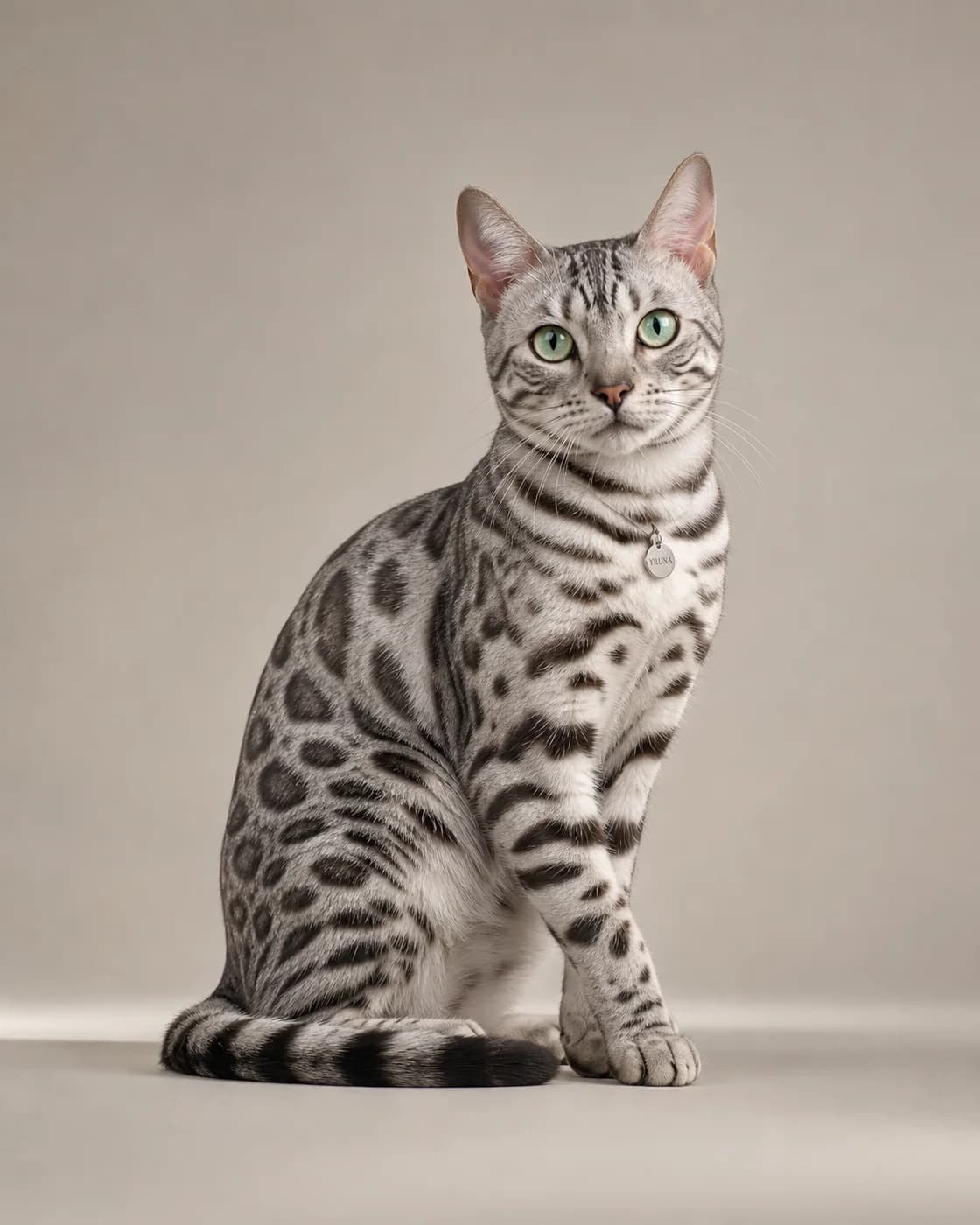
Silver Bengal studio portrait
An uncluttered background makes the silhouette and coat pattern easy to inspect. This is the image's saved gallery prompt. Its original model is not recorded; the Image-2 setup makes a new interpretation.
Read the prompt
Full-body studio portrait of a silver Bengal cat sitting upright and facing camera on seamless light grey, luminous silver-grey rosetted coat with charcoal markings and striped legs, symmetrical facial markings, vibrant green almond eyes, thin collar with a small round metal tag, soft even lighting emphasizing sleek fur and an alert poised expression.
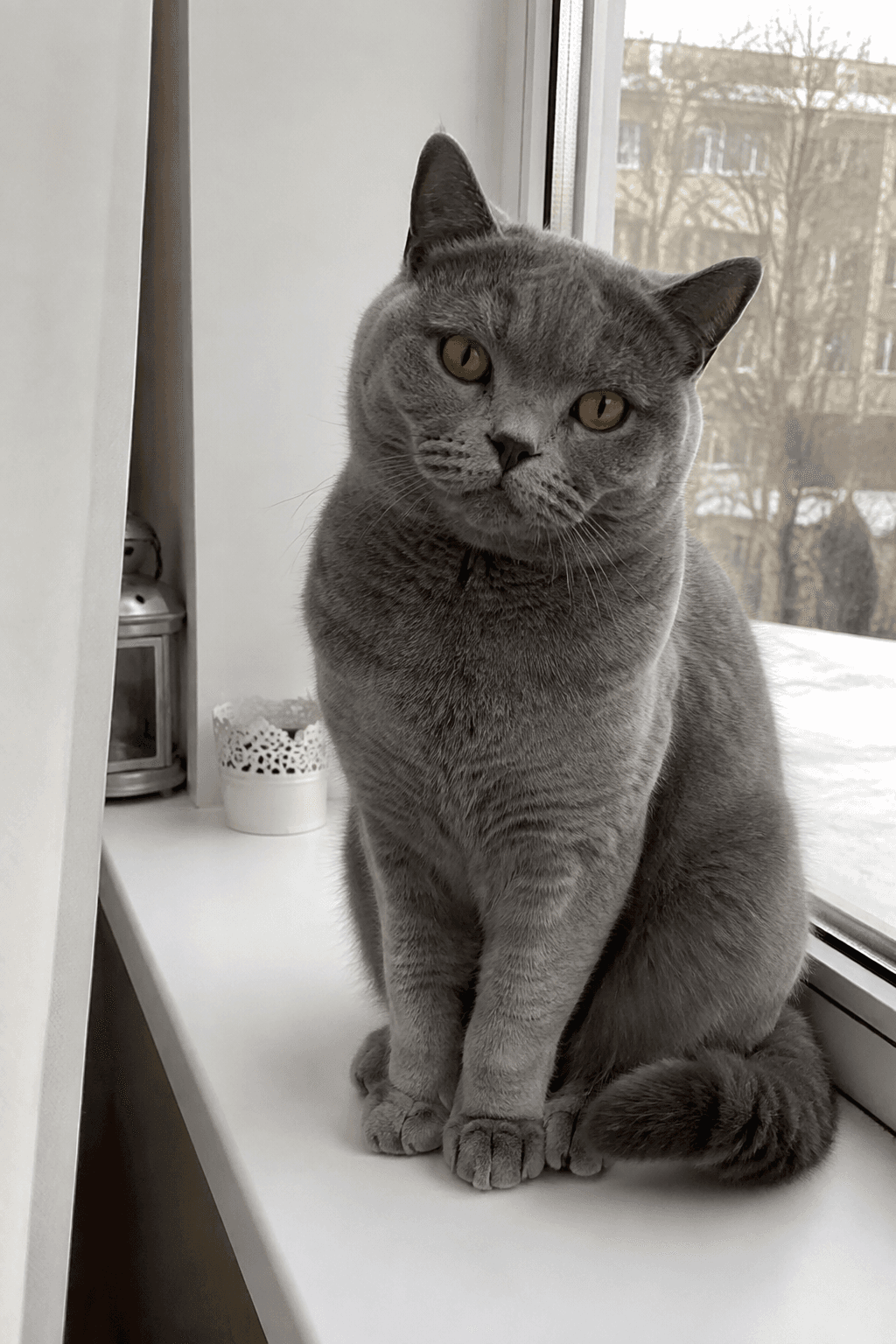
British Shorthair window portrait
Use soft window light for a relaxed snapshot. The displayed brief is reconstructed from the sample-generation script's batch recipe, rather than a recovered individual request. A new result will vary.
Read the prompt
Casual smartphone photo of a grey british shorthair cat sitting on a windowsill at home, looking at the camera, natural indoor light, slightly off-center, everyday snapshot quality
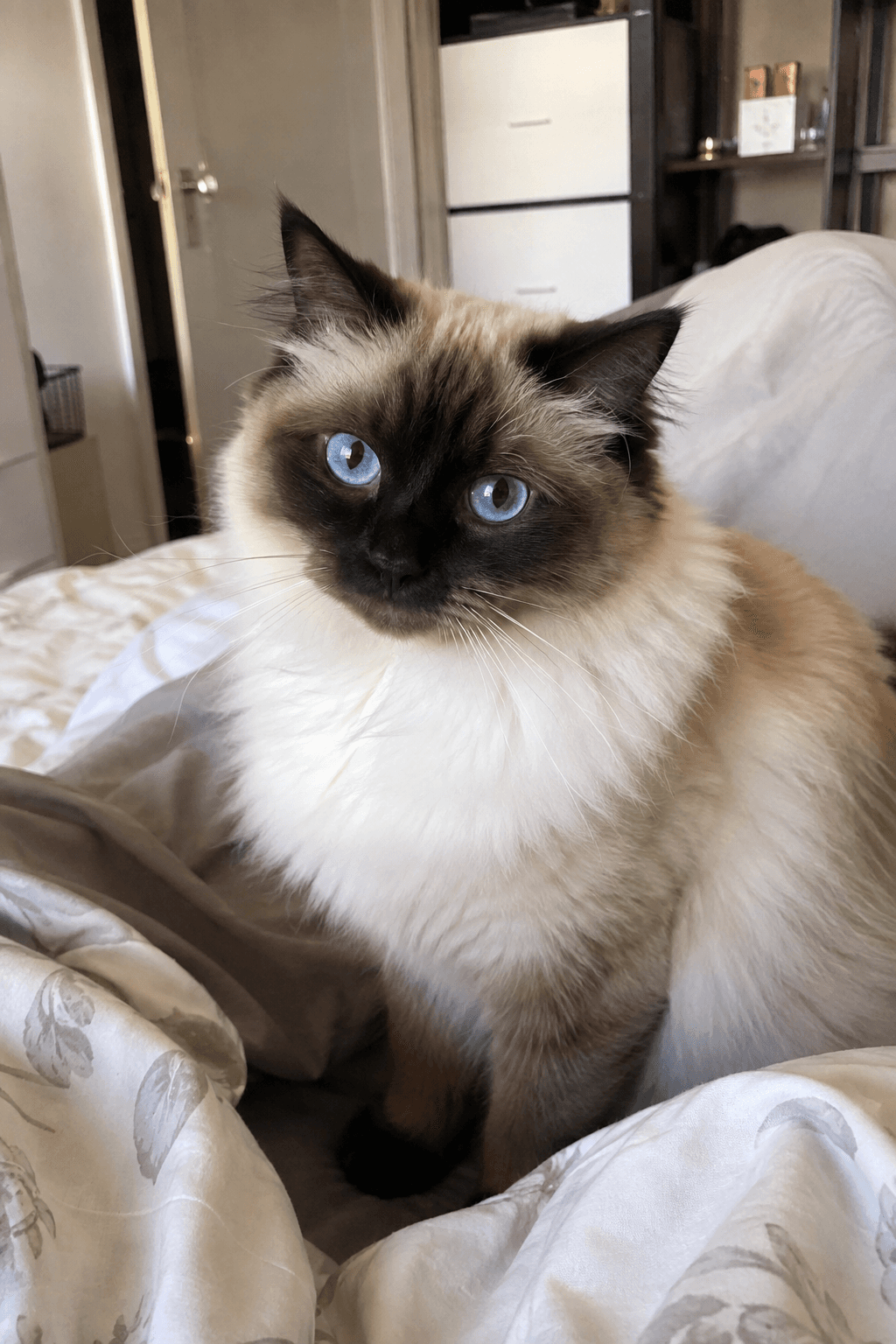
Blue-eyed Ragdoll at home
Name the coat markings, eye color and setting when inventing a cat. This brief follows the sample's batch recipe; it is not a saved individual generation request. Upload your own photo when a particular cat's appearance matters.
Read the prompt
Casual smartphone photo of a seal-point ragdoll cat with blue eyes sitting on a bed at home, looking at the camera, natural indoor light, slightly off-center, everyday snapshot quality
How to create your first result
Make one deliberate change per attempt. Review the result before spending credits on more versions.
- 01
Invent a cat or start with yours
Use text to design a new cat. For your own pet, prepare a photo-based edit and upload one clear reference in Image Studio.
- 02
Describe the portrait
Choose the pose, background and light. Include distinguishing features such as eye color, face markings or a white chest patch. Keep the composition simple for an avatar.
- 03
Choose Grok Image 2 or Image-2
Open your prepared prompt with the selected model. Review the reference, output shape and credit quote before you generate. Sample image proportions are shown on this page; your new output uses the studio settings.
- 04
Inspect and download
Compare both eyes, ears, whiskers, paws and coat markings. For a photo-based edit, compare the result with your original. Save the image you want to use, or take it into a cat-video setup.
What to check when a result misses
These are useful adjustments to try. Generative output varies, so check the image or video itself before publishing.
It looks like a different cat
Use the original photo as a reference and request one change at a time. A breed name alone describes many cats and does not identify your pet.
The portrait is too busy
Choose one background and one lighting direction. Remove extra objects so the face reads clearly at profile-picture size.
The anatomy or markings are wrong
Inspect the full-size result before using it. Simplify the pose, make the relevant features visible in the reference and generate a new variation if needed.
Before you generate
Can I generate a cat image from text?
Yes. Describe a cat, its pose, the setting and lighting. Text-to-image invents a new cat. The sample briefs on this page open text setups so you can create a new variation.
Can I turn my cat photo into an AI portrait?
Yes. Choose the photo input option, describe the change and upload your cat's picture in Image Studio. The image guides the edit, but the model can change facial features or markings. This is a reference-image workflow, not training a private model of your cat.
Which models can I use for cat images?
The builder offers Grok Image 2 and Image-2. The Grok option uses Grok Image 2.0 for text-to-image and Grok Imagine for photo edits. Image-2 supports both inputs. Choose the model and inspect its quote and output settings before submitting.
Were all three examples generated with Image-2?
The British Shorthair and Ragdoll samples are recorded in Yiluna's public collection as Image-2 outputs from August 22, 2026. Their displayed prompts are reconstructed from the batch script. The silver Bengal has a saved gallery prompt, but its original model is not recorded.
Do I need to pay to try the cat image page?
Browsing the examples and preparing a prompt are free. Creating an image requires a Yiluna account and sufficient credits. The studio shows the generation quote before you submit.
Continue your project
Move from a still to a clip, refine a background, or plan the next shot.